Gradio’s Image Component
Use the image component if you need to upload or display image data. Image Input Component:
• Users can upload an image from a file, webcam, or clipboard.
• The uploaded image data is passed to the linked Gradio interface/blocks function as the datatype numpy.array, PIL.Image or str file path depending on components type= parameter. Image Output Component:
• Displays an image to the user.
• Displayed image data should be returned by the Gradio interface/blocks function as the datatype numpy.array, PIL.Image or str or pathlib.Path file path to an image. String Shortcut: “image” (View Highlight)
How To Use: The Gradio Image Component As An Input Component Task: Allow users to upload an image from a file, webcam, or clipboard. Datatype passed to Python function:numpy.array, PIL.Image or str file path.
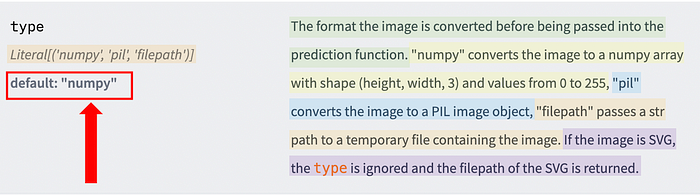
• The datatype used by the Image component can be controlled using the type= parameter.
Image adapted from https://www.gradio.app/docs/image
It’s important to remember that the default datatype used by the Gradio image component is numpy.array. This means that if you don’t set the datatype using the type=parameter, Gradio will automatically pass your image data to the function as*numpy.array.* (View Highlight)
• type=”pil”*PIL.Image* “”pil” converts the image to a PIL image object”
import gradio as gr
def show_image(img):
print(type(img))
return img
app = gr.Interface(
fn=show_image,
inputs=gr.Image(label=“Input Image Component”, type=“pil”), # Set image componet’s type= parameter to “pil” PIL.Image
outputs=gr.Image(label=“Output Image Component”),
)
app.launch()
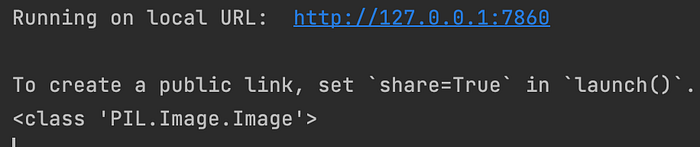
Image of print() result in Python Console
In the above code snippet, the image input component’s type=parameter is set as “pil”. In this case, the image input component will always pass the image data to the Python function as a PIL.Image object. (View Highlight)
• type=”str”str ““filepath” passes a str path to a temporary file containing the image.”
import gradio as gr
def show_image(img):
print(type(img))
print(img)
return img
app = gr.Interface(
fn=show_image,
inputs=gr.Image(label=“Input Image Component”, type=“filepath”), # Set image componet’s type= parameter to “filepath” str
outputs=gr.Image(label=“Output Image Component”),
)
app.launch() (View Highlight)