Today, we’re announcing that MCP Apps are now live as an official MCP extension. Tools can now return interactive UI components that render directly in the conversation: dashboards, forms, visualizations, multi-step workflows, and more. This is the first official MCP extension, and it’s ready for production. (View Highlight)
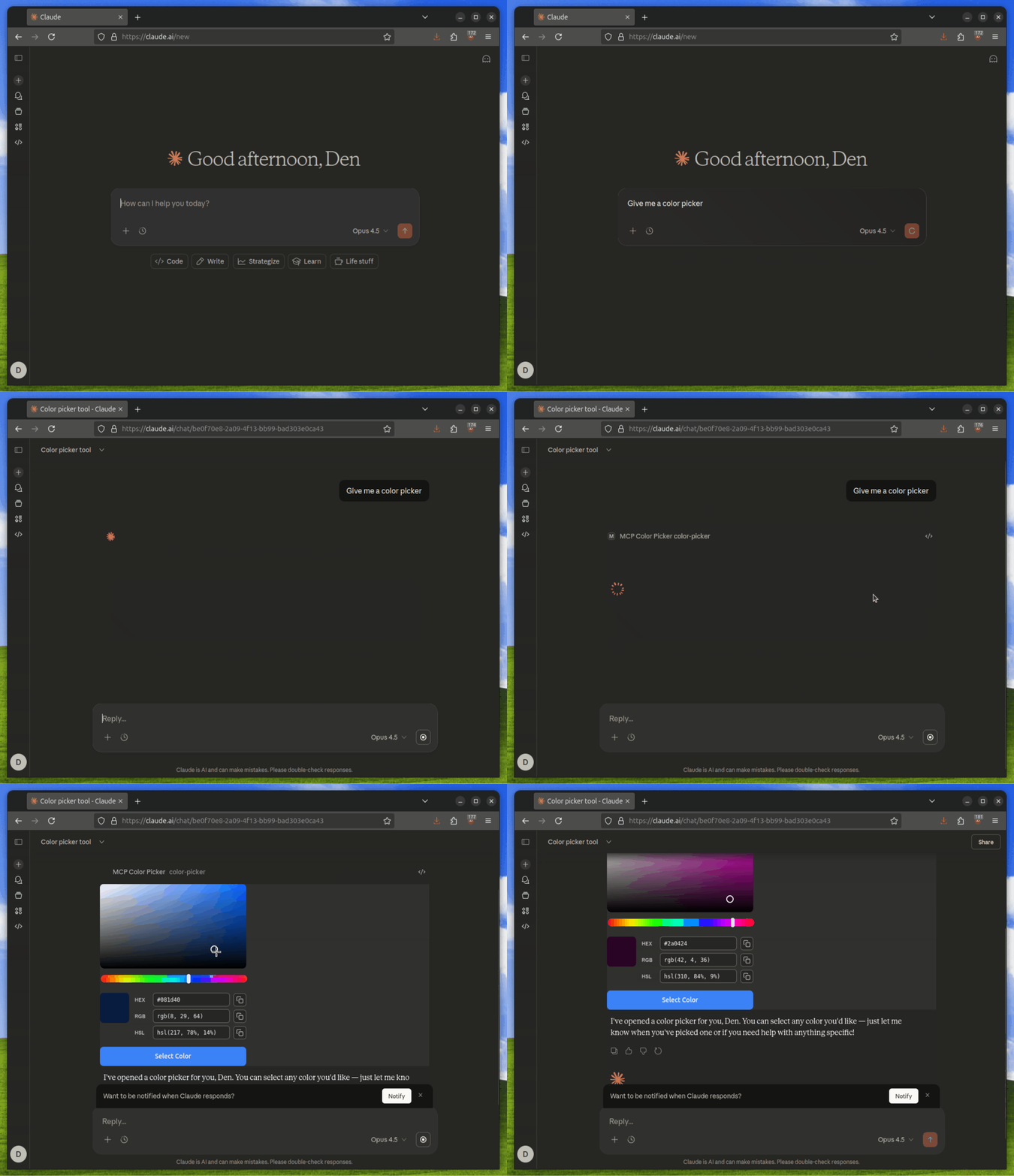
MCP Apps let tools return rich, interactive interfaces instead of plain text. When a tool declares a UI resource, the host renders it in a sandboxed iframe, and users interact with it directly in the conversation.
(View Highlight)
• Data exploration: A sales analytics tool returns an interactive dashboard. Users filter by region, drill down into specific accounts, and export reports without leaving the conversation.
• Configuration wizards: A deployment tool presents a form with dependent fields. Selecting “production” reveals additional security options; selecting “staging” shows different defaults.
• Document review: A contract analysis tool displays the PDF inline with highlighted clauses. Users click to approve or flag sections, and the model sees their decisions in real time.
• Real-time monitoring: A server health tool shows live metrics that update as systems change. No need to re-run the tool to see current status. (View Highlight)
The architecture of MCP Apps relies on two key MCP primitives:
Tools with UI metadata: Tools include a _meta.ui.resourceUri field pointing to a UI resource
UI Resources: Server-side resources served via the ui:// scheme containing bundled HTML/JavaScript (View Highlight)
Why MCP Apps?
MCP is great for connecting models to data and giving them the ability to take actions. But there’s still a context gap between what tools can do and what users can see.
Consider a tool that queries your database. It returns rows of data, maybe hundreds of them. The model can summarize this data, but users often want to explore: sort by a column, filter to a date range, or click into a specific record. With text responses, every interaction requires another prompt. “Show me just the ones from last week.” “Sort by revenue.” “What’s the detail on row 47?” It works, but it’s slow.
MCP Apps closes this gap. The model stays in the loop, seeing what users do and responding accordingly, but the UI handles what text can’t: live updates, native media viewers, persistent states, and direct manipulation. Combined, they provide the model and user with all the context they need in one familiar interface. (View Highlight)
MCP-UI and OpenAI Apps SDK pioneered the patterns that MCP Apps now standardizes. The projects proved that UI resources can and do fit naturally within the MCP ecosystem, with enterprises of all sizes adopting both the OpenAI and MCP-UI SDKs for production applications.
MCP-UI isn’t going anywhere. The SDKs support MCP Apps patterns, with the Client SDK as the recommended framework for Hosts looking to adopt MCP Apps. The community continues to contribute extensively to the specification. If you’re already using MCP-UI, keep using it. Migration to the official extension is straightforward when you’re ready. (View Highlight)
MCP Apps are supported in:
• Claude - available today both on web and desktop experiences
• ChatGPT - starting this week
For the first time, an MCP tool developer can ship an interactive experience that works across a broad range of widely-adopted clients without writing a single line of client-specific code. (View Highlight)

 (View Highlight)